
This Coopr egg tracking app review comes after a little more than a month of real use on our farm, from the beginning of October through November 4. We did not collect a mountain of eggs during that stretch (we are in fall weather so lower egg output), but that did not keep the app from being useful. Coopr gave us a simple place to record what we gathered, see when production changed, and compare what we earned from eggs with what we spent on the flock.
I tested Coopr alongside my husband, Ryan. I am comfortable learning new apps, while Ryan is much less interested in technology. I found Coopr very easy to use from the beginning. He also found the app easy to understand, although it took him about a week to remember to use it consistently. Once logging eggs became part of his collection routine, he especially liked seeing our sales and expenses together.
Disclosure: The developer gave us complimentary Coopr Plus access after I asked to test the paid features. We received no compensation, and no review or positive coverage was promised. After testing the app, I purchased lifetime access with my own money.
Why an egg tracking app is useful at the coop
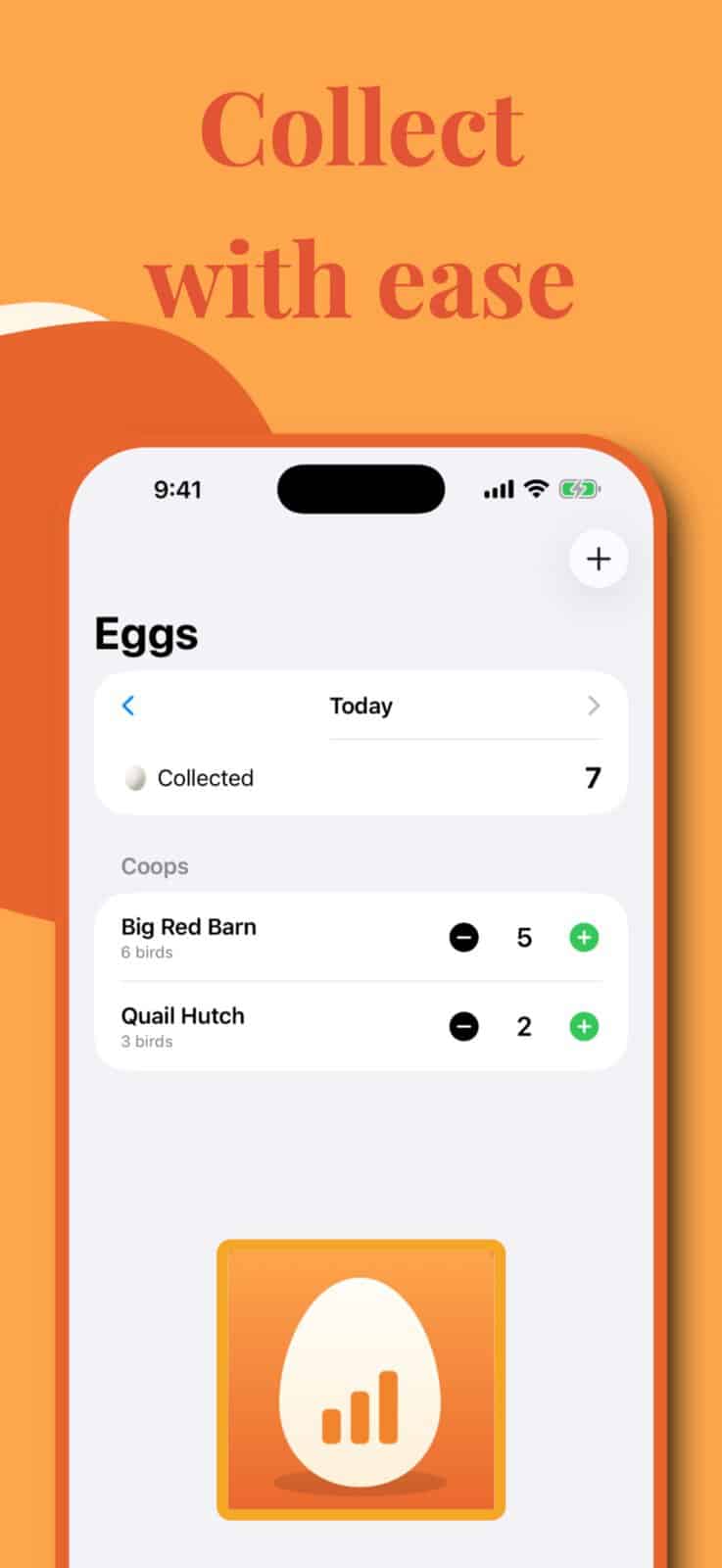
The most useful thing about Coopr is also the simplest. It goes outside with you. Most of us already have a phone in a pocket while doing chores. That makes it much easier to record an egg count at the moment you collect the eggs instead of planning to write it down later and then forgetting.
Coopr lets you add the day’s eggs with a couple of taps. The app works offline, so a weak signal near a barn or distant coop does not get in the way. There is also a widget, which we used, that shortens the process even more. For a daily task that needs to become a habit, removing a few extra steps matters.
Ryan’s experience showed the difference between an app being difficult and a habit being new. He understood how to use Coopr, but his phone usually stayed in his pocket during chores at first. After about a week, he began remembering to log the collection more consistently. The app did not need a long learning curve. It simply needed a place in his existing routine.
That kind of record becomes more valuable over time. A single day’s count tells you what is in the basket. Several weeks or months can show how production changes with daylight, molting, weather, flock age, or changes in care. The University of Minnesota Extension explains that egg production commonly drops as daylight decreases and hens molt. A digital log gives you a clearer record of when that slowdown began and how long it lasted.
Key Takeaways
- Coopr makes egg logging practical because it works on the phone already in your pocket, including when the coop has no reliable signal.
- Multiple-coop records, expenses, sales, and cost-per-egg calculations make the app especially useful for mixed flocks and small egg businesses.
- Coopr Plus is reasonably priced at $14.99 per year or $29.99 lifetime, and I purchased lifetime access after our test.
Coopr helps turn daily counts into seasonal records
Our testing period was not an ideal demonstration of big production numbers. We tested through October and the first four days of November, and our birds were not giving us many eggs. That limits what I can say about long-term charts after a full laying season.
It also reflects the reality of keeping poultry. Egg baskets are not equally full all year. If you keep chickens without pushing for year-round production, shorter days and molt can change the count quickly. Our guide to why chickens stop laying during heat, molt, and seasonal changes explains several of the patterns a longer Coopr record could help you recognize.
Even with limited numbers, we could see the value of keeping every collection in one place. A low-production month still creates useful baseline data. When laying increases again, we will have something concrete to compare it with rather than relying on a vague memory of how many eggs we found last fall.
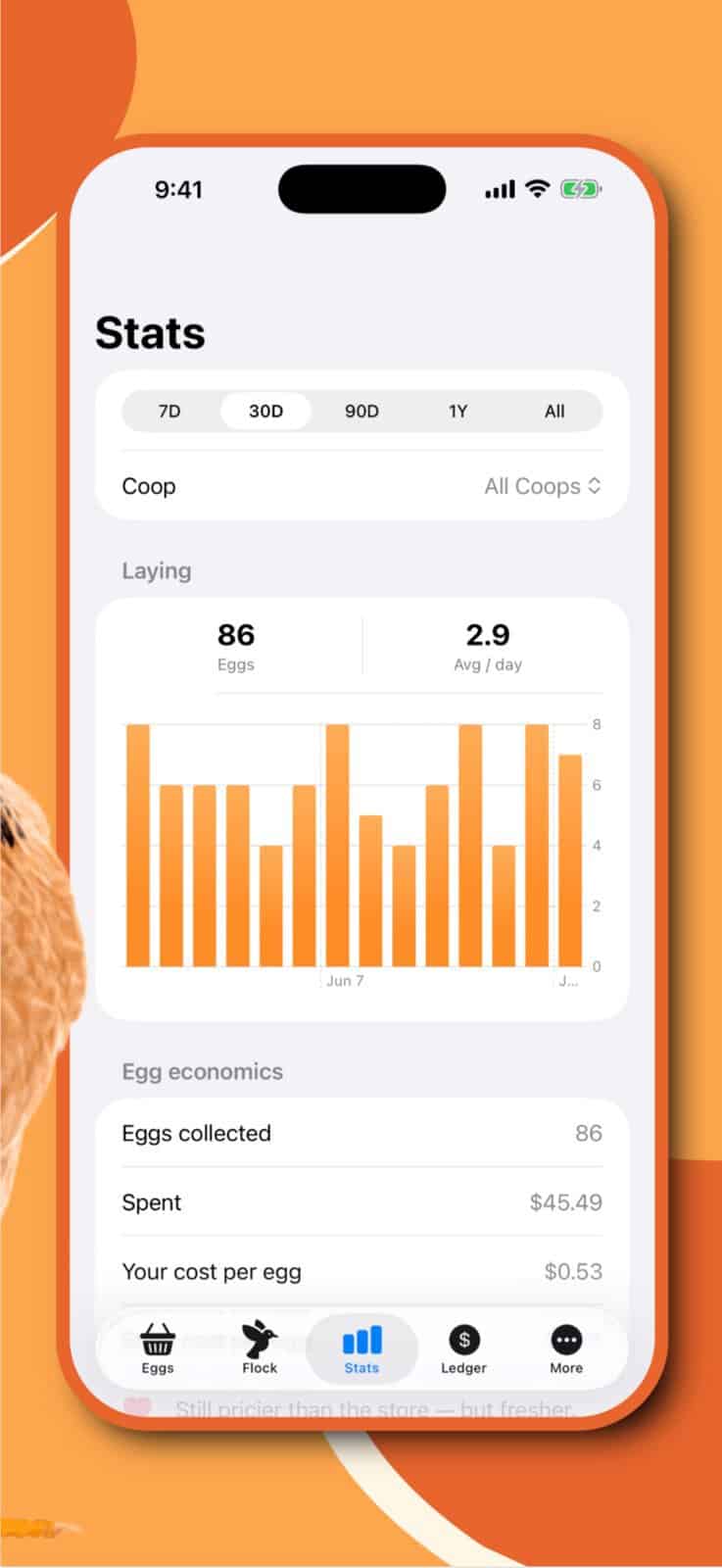
Coopr includes statistics for different time periods and can display production as bars or a line. It also offers an optional weekly summary. We did not use the app long enough to judge a full year’s trends, so I would treat the long-term analysis as a reason to keep using it, not as something our short test proved.
Multiple coops make Coopr useful for mixed flocks
The multiple-coop feature was one of the paid tools we tested. It lets you keep separate records for different groups instead of combining every egg into one total. That could mean two chicken coops, or separate housing for chickens, ducks, geese, quail, or turkeys.
This matters because those birds do not follow identical laying patterns. A combined number might tell you that production fell, but separate records help show where it changed. Someone raising both ducks and chickens could compare the groups without maintaining separate notebooks or spreadsheets.
Earlier in October, a fox came onto our property. After we scared it off, we used the flock records in Coopr to check our head count and make sure every bird was accounted for. It was a practical use we had not expected when we downloaded an egg tracking app, and it was reassuring to have the list in front of us while we were still checking for birds that might be hiding.
Coopr also supports individual bird profiles with breeds, photos, health notes, and archived records. Photographing the birds sounds easier than it is. Our chickens were not interested in sitting still for profile pictures. That was a chicken problem, not an app problem, and the photo is optional.
People building their first flock may not need multiple coops immediately. Our beginner’s guide to raising backyard chickens recommends starting with a manageable number of birds and developing a steady care routine. Coopr can begin as a simple egg log and become more valuable if the flock expands later.
The expense and sales tools show what your eggs really cost
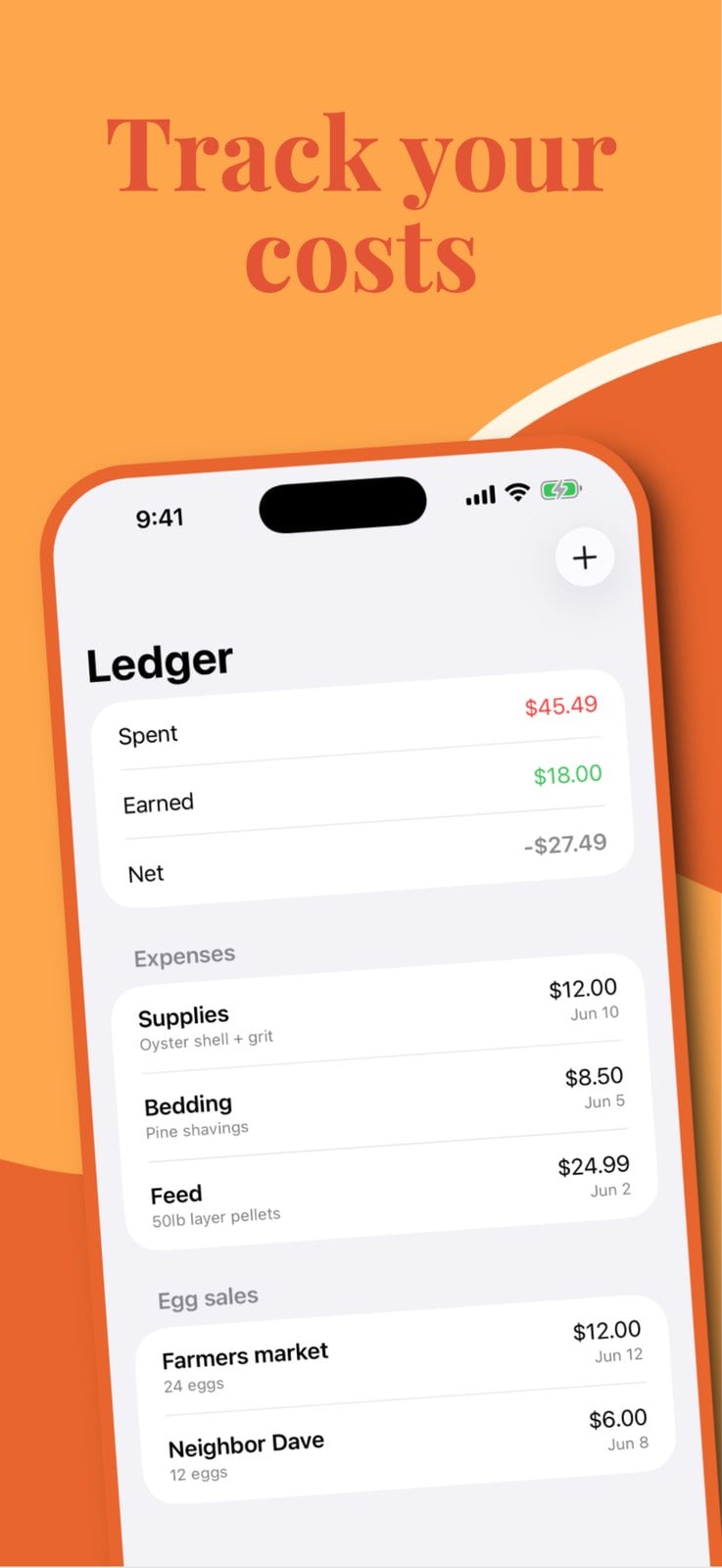
The financial side is where Coopr moves beyond a basic egg counter. We tested the expense, sales, and cost-per-egg features. You can record feed and supply purchases, enter egg sales, and see how the income compares with what you have spent.
This was Ryan’s favorite part of the app. Once he had used Coopr long enough to build the logging habit, he liked seeing how much we were making against our expenses. That information is easy to lose when feed receipts are in one place, egg money is in another, and collection totals exist mostly in memory.
The number can also correct unrealistic assumptions. Homegrown eggs may be fresher and more satisfying than store eggs, but they are not automatically cheaper. Feed, bedding, cartons, equipment, and replacement supplies all affect the real cost. Coopr calculates the cost per egg from the records you enter and can compare that number with a store price.
Accurate results still depend on accurate entries. If you forget a feed purchase or fail to record several sales, the economics screen cannot fill in the missing information. Coopr makes the calculation easier, but it does not remove the need for consistent records.
For a household flock, that information may simply satisfy curiosity. For a small or medium hobby farm selling eggs, it can support better pricing and show whether sales are covering routine costs. Our guide to poultry farming for beginners discusses why feed and housing costs need to be considered before treating eggs as farm income.
How easy is Coopr to use?
Coopr was very easy for me to learn. The daily egg screen is direct, the main tools are easy to find, and we did not encounter bugs during the test. The app is also small and does not require a separate account.
Ryan’s experience matters because not every flock keeper enjoys setting up new technology. He did not find the app confusing. Remembering to take out the phone and log the eggs was the only real adjustment. After the first week, that action became much more natural.
We used Coopr on two different phones signed into the same Apple Account, and I also used it on my computer. Coopr offers optional private iCloud syncing for devices on the same Apple Account. According to the current App Store listing, the app works without an account, contains no ads, and the developer reports that it does not collect user data.
The same-Apple-Account detail is important. We confirmed that setup, but we did not test collaboration between two separate Apple Accounts. Coopr is also currently an Apple app requiring iOS 17 or later, so Android users will need another option.
Is Coopr Plus worth paying for?
Coopr keeps the basic egg log free. Coopr Plus adds the features that make it more useful for a larger or income-producing flock, including multiple coops, the sales and expense ledger, egg economics, and CSV export.
The current US price is $14.99 per year or $29.99 for lifetime access. I initially misunderstood the annual price as a monthly charge. Once I realized that $14.99 covers a full year, I considered it very reasonable. The lifetime option costs the same as two years of the annual plan.
I ultimately bought lifetime access. That does not mean every chicken keeper needs the paid plan. Someone with three hens who only wants to remember the daily count may be satisfied with the free tools. Someone with several coops, more than one poultry species, regular expenses, or egg customers has a much stronger reason to upgrade.
Who will get the most use from Coopr?
Coopr is a particularly good fit for:
- Backyard keepers who want a faster alternative to paper records.
- Families who carry their phones during chores and can build logging into egg collection.
- Farms with multiple coops or different poultry species.
- Hobby farmers who sell eggs and want sales and expenses in one place.
- Keepers who want to compare production across seasons.
- Apple users who want records available across devices on the same account.
It is less compelling for someone who dislikes recording daily information, uses Android, or only wants an occasional count. The app can make recordkeeping convenient, but it cannot make the record complete if no one remembers to enter the eggs.
Our Coopr egg tracking app review verdict
Coopr solved a simple but persistent problem for us. It gave us a record that could travel to the coop, kept different coops organized, and brought egg counts, sales, and expenses together. The interface was easy enough for both an experienced app user and someone much less comfortable with technology.
Our low egg production and short testing period mean I cannot make sweeping claims about years of trend data. I can say that the app worked reliably for the features we used, and the records should become more valuable as the seasons change and our history grows.
The clearest statement of our verdict is that I bought lifetime access after testing Coopr Plus. At $29.99, it is a practical farm tool we expect to keep using rather than an app we tried once and forgot.
Do you track your flock’s egg production, expenses, or sales? Tell us what you record and whether you use an app, spreadsheet, or notebook in the comments.
Coopr Egg Tracking App FAQ
Is the Coopr egg tracking app free?
Coopr’s basic egg-logging tools are free. Coopr Plus adds multiple coops, the sales and expense ledger, egg economics, and CSV export for $14.99 per year or $29.99 lifetime in the US App Store.
Can Coopr track ducks, geese, and quail?
Yes. Coopr supports records for chickens, ducks, geese, quail, and turkeys. The paid multiple-coop feature can keep different flocks or species separate.
Does Coopr work without internet service?
Yes. Coopr can log eggs offline, which is useful in coops, barns, and other parts of a property with weak cellular or Wi-Fi service.
Can two people use Coopr on different phones?
Coopr offers optional iCloud synchronization across devices using the same Apple Account. We successfully used it on two phones and a computer connected to one Apple Account, but we did not test sharing between separate Apple Accounts.
Is Coopr available for Android?
No Android version was listed when this review was prepared in November 2026. Coopr requires iOS 17 or later on iPhone or iPad and can also run on compatible Apple silicon Macs.